


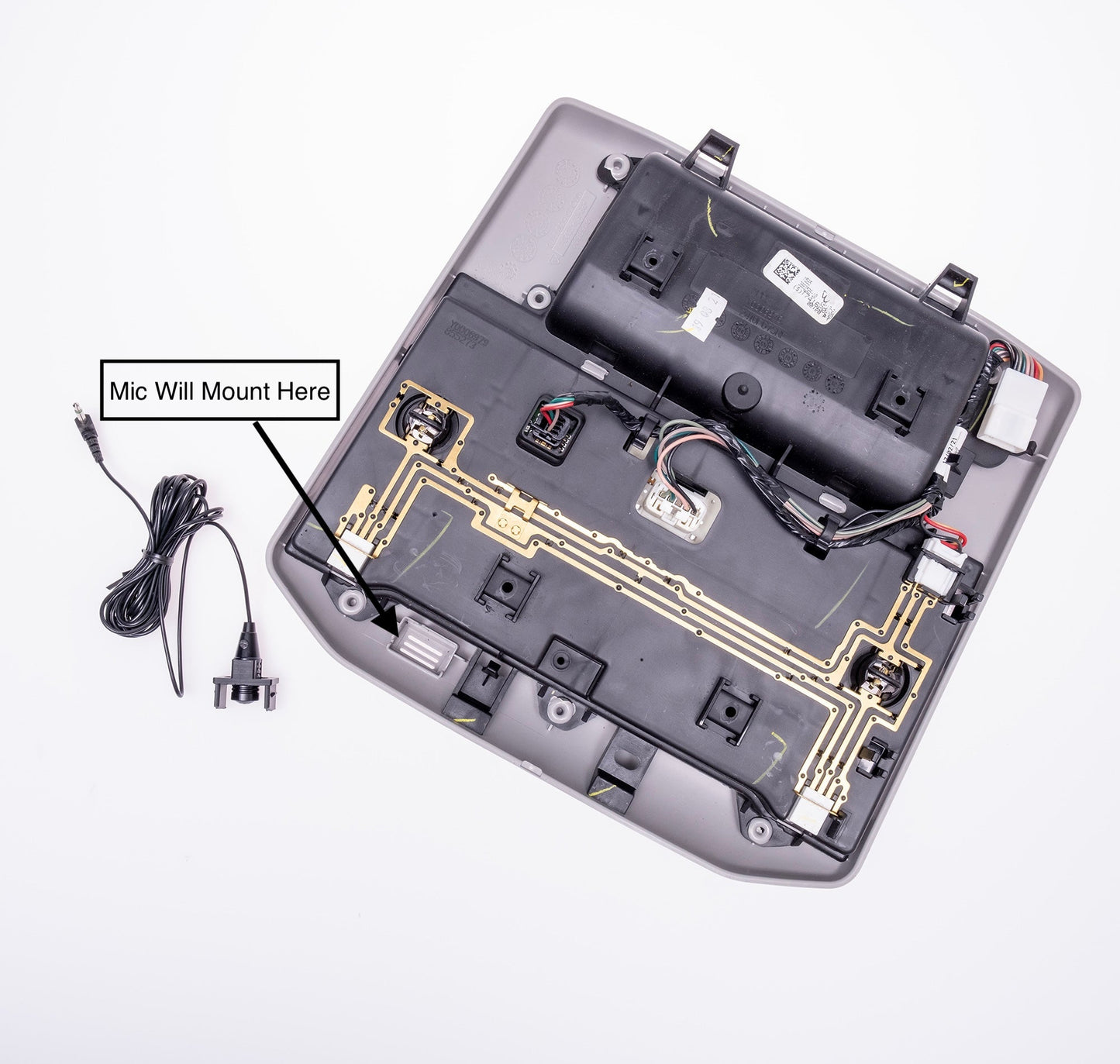
Alpine Microphone Mount | '07 - '21 Tundra / '14 - '22 Sequoia
$11.00
Alpine Microphone Mount for 2007–2021 Toyota Tundra / 2014 - 2022 Sequoia
We're proud to offer a sleek, factory-style solution for mounting your Alpine aftermarket microphone directly into the OEM headliner console of your 2007–2021 Toyota Tundra & 2014 - 2022 Sequoia. This custom mount keeps your microphone neatly integrated while maintaining crystal-clear voice quality and functionality.
Installation Instructions
Remove the Headliner Console
Steps may vary depending on trim:
- If your truck has a sunglasses compartment, open it and remove the two T20 Torx screws.
- Use a plastic pry tool to remove the card holder panel; two more T20 screws will be underneath.
- For 2007–2013 Tundra, follow the video guide below.
- For 2014–2021 Tundra & 2014–2022 Sequoia, follow the appropriate video.
Disconnect Console Wiring
- Unplug the main wiring harness connector from the console.
Remove Foam Insert
- Locate and remove the foam insert from the factory microphone port.
Install the Microphone into the Mount
- Push the rounded end of the microphone through the opening of the mount.
- Ensure the rounded end sits near the bottom of the center mount support.
Insert the Mount into the Console
- With the microphone facing down and legs aligned, insert the mount into the headliner console until it clicks securely into place.
Route the Microphone Wire
- Run the wire from the headliner console toward the rearview mirror.
- Reinstall the console, pulling any slack toward the mirror.
- Continue routing the wire along the top of the windshield and down the driver-side A-pillar.
- Finish by running the wire under the dash to your Alpine head unit.
- Plug the 3.5mm jack into the appropriate mic port on the back of the radio chassis.
Test Functionality
- Power on the system and confirm the microphone is working properly.